
Fix it on the first reply.
Your competitors’ support asks for screenshots. Yours logs in, sees the actual conflict, and closes the ticket the same day. That’s the difference customers write reviews about, and the reason they renew.
“We had so many awkward back and forths [to get site logins] previously, and now it’s just BOOM, DONE, and secure all at the same time.”
Matt Cromwell, then Senior Director of Customer Experience, StellarWP
Every ticket that needs a login costs you a day.
“Could you send a temporary admin?” Then the wait. Then the password typed into the thread, which is now your liability: stored on your help desk, attached to your brand the day it surfaces in a breach writeup. You didn’t just lose a day. You taught your customer that handing out passwords is how support works.
Support access becomes a feature of your product.
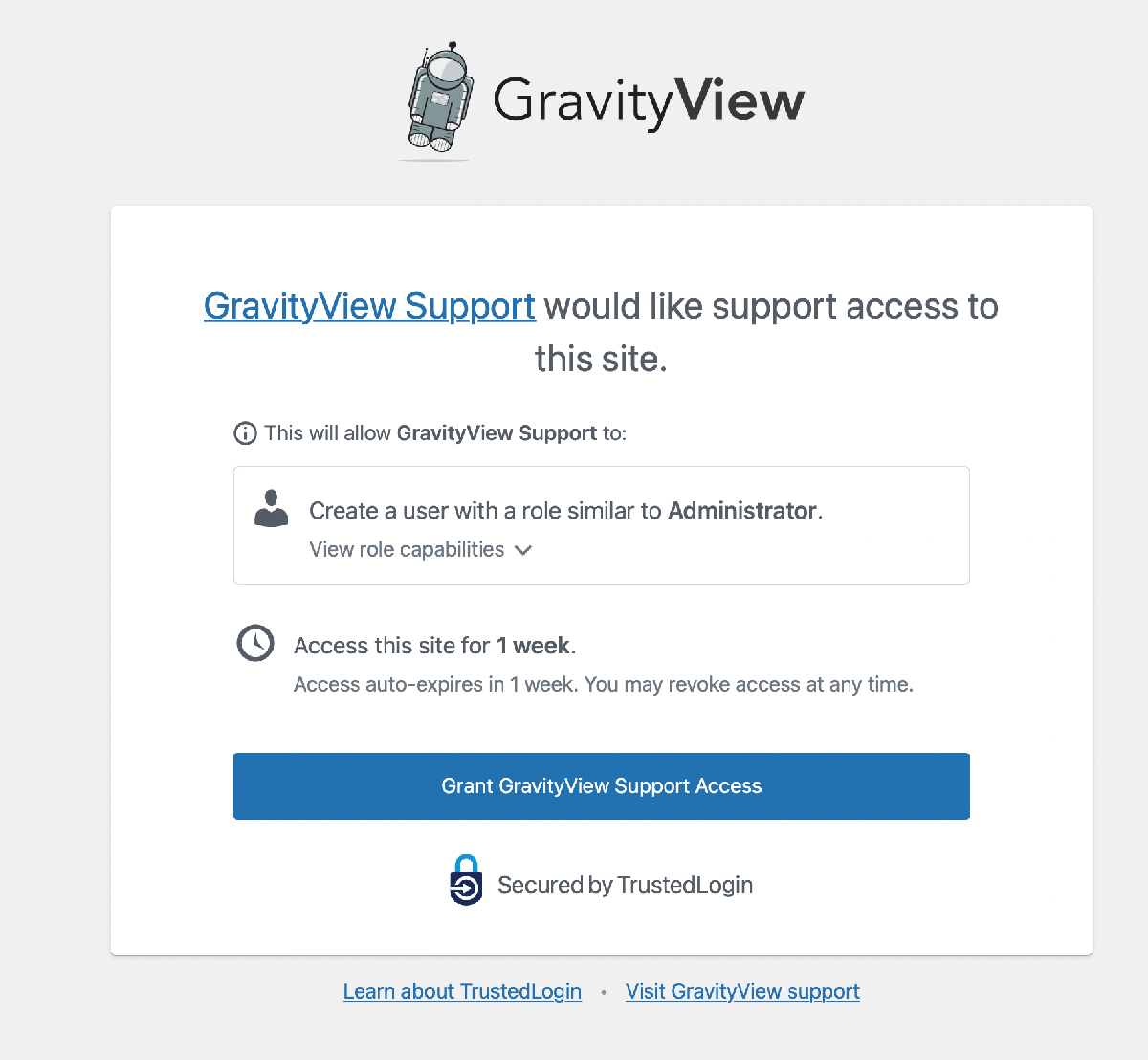
Your customer never installs anything or trusts a second company: the Grant Support Access control sits inside your plugin’s own admin screen, where they already are.
Nobody guesses what they just agreed to. The customer reads the access window and the role before they click, and you set both once, when you install the SDK.
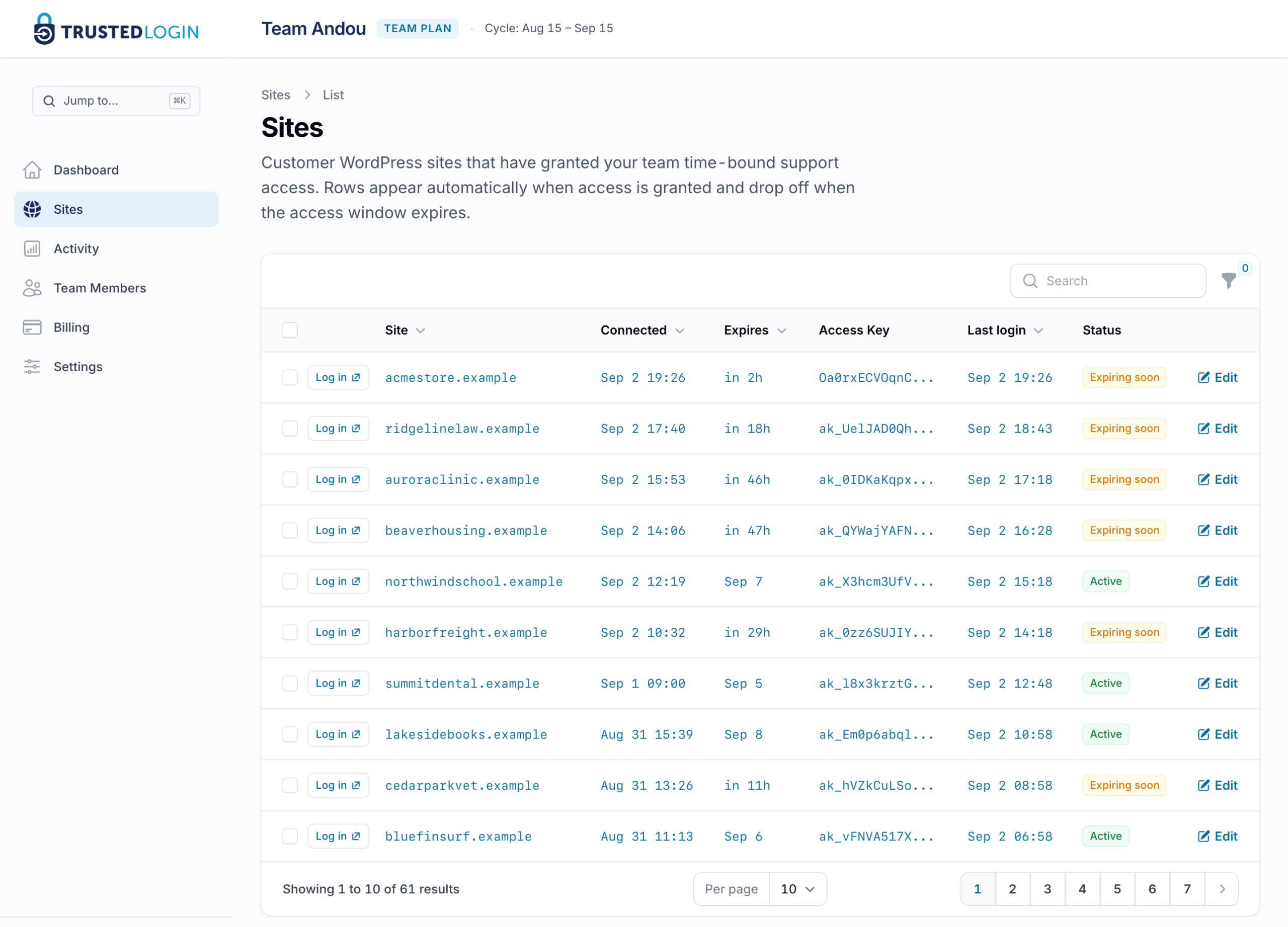
Your agent does not have to go looking: the grant lands in your support desk (Help Scout, through the Connector on your own site) or in your TrustedLogin dashboard.
Whenever a customer asks, your agent can be logged in and working the actual problem within minutes, with the session logged from grant to expiry.
An API key or a webhook secret never has to sit in the ticket either: send it as a secret link that vanishes on first read or at an expiry you set, and your customer can send one back the same way.
It costs nothing to embed, and your developer can read every line before shipping it: the SDK is free and open source at github.com/trustedlogin/client.
Built by a plugin company, for its own support desk
GravityKit built TrustedLogin and still runs its own support team through it, under the rules any customer would get: the same one-click access, the same dashboard, the same expiry. That is 2,589 logins across 1,789 sites, every one on the record.
Secure logins, live today.
The integration is a prompt, not a project. Paste it into Claude Code, Cursor or Copilot with your plugin open, and it asks what it needs, adds the SDK, namespaces it so it can never collide with another plugin’s copy, and finishes with a checklist you can verify. Every docs page is also served as raw Markdown, so your assistant reads our actual source instead of guessing at it.
You choose the role, the duration, and where the button sits. Once. After that, every ticket that needs the site has a button in it.
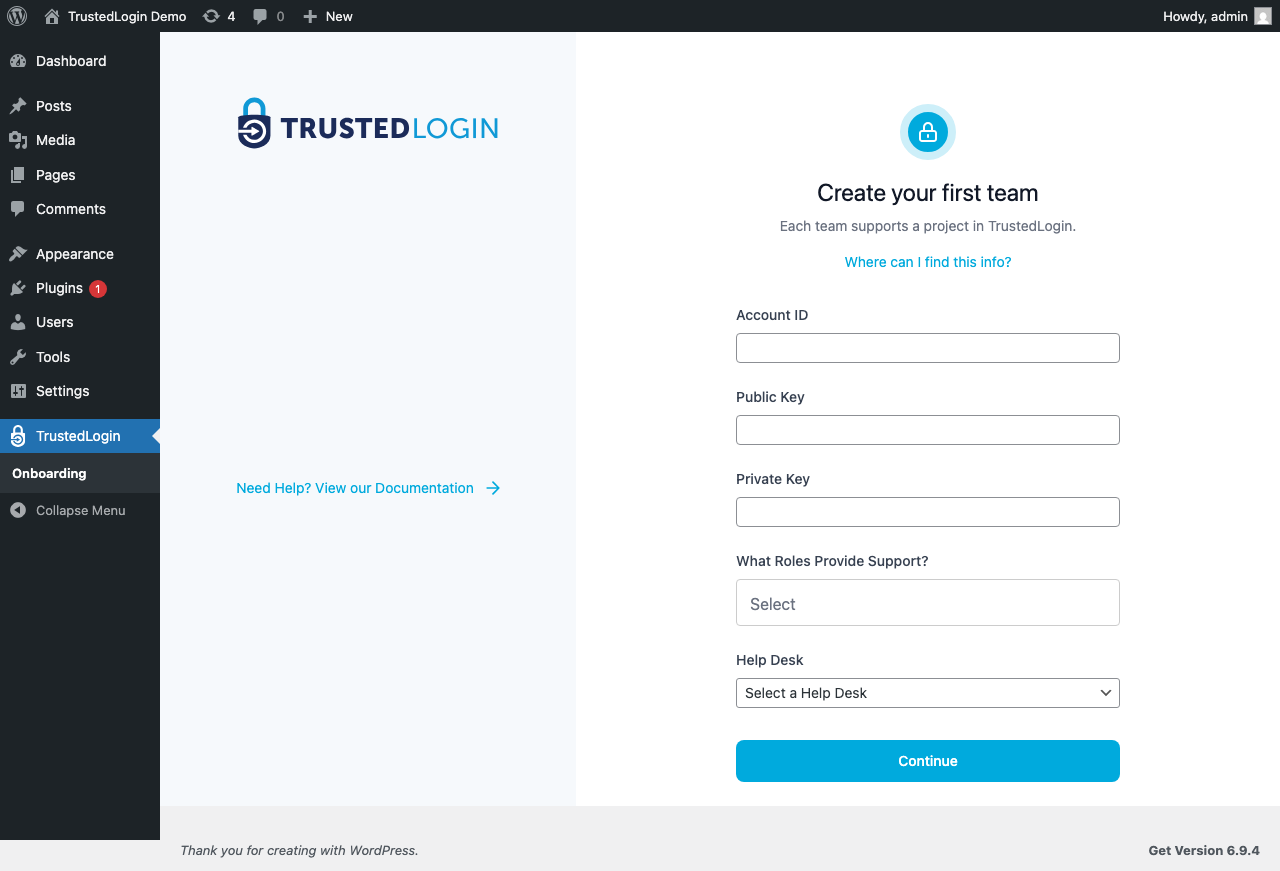
The other half takes five minutes on your own site: install the Connector plugin, paste your team’s credentials, decide who on your team can log in, connect your help desk. Full setup steps are at docs.trustedlogin.com, and a working plugin you can read end to end is at github.com/trustedlogin/trustedlogin-example.
Secrets
An FTP login, a hosting account, an API key: the grant covers WordPress, and a secret link covers everything else, in either direction. Your team sends one to the customer, or the customer sends one back. It vanishes on first read or at an expiry up to 30 days, TrustedLogin never sees the value, and every secret leaves a record of who opened it and when.